
Troubleshooting & Support
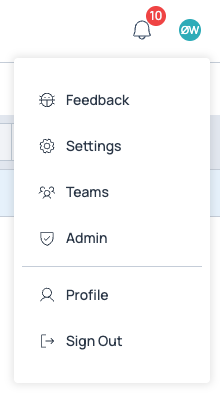
If something is not working, you have discovered a bug, want to request a new feature in our software, or simply suggest an improvement, navigate to the top right corner, press the circle with your initials, and select Feedback. If you wondered, the symbol shows a bug, which we want to get rid of. We are very grateful for your feedback.
What you send
The feedback form asks for a type, a short title and a description.
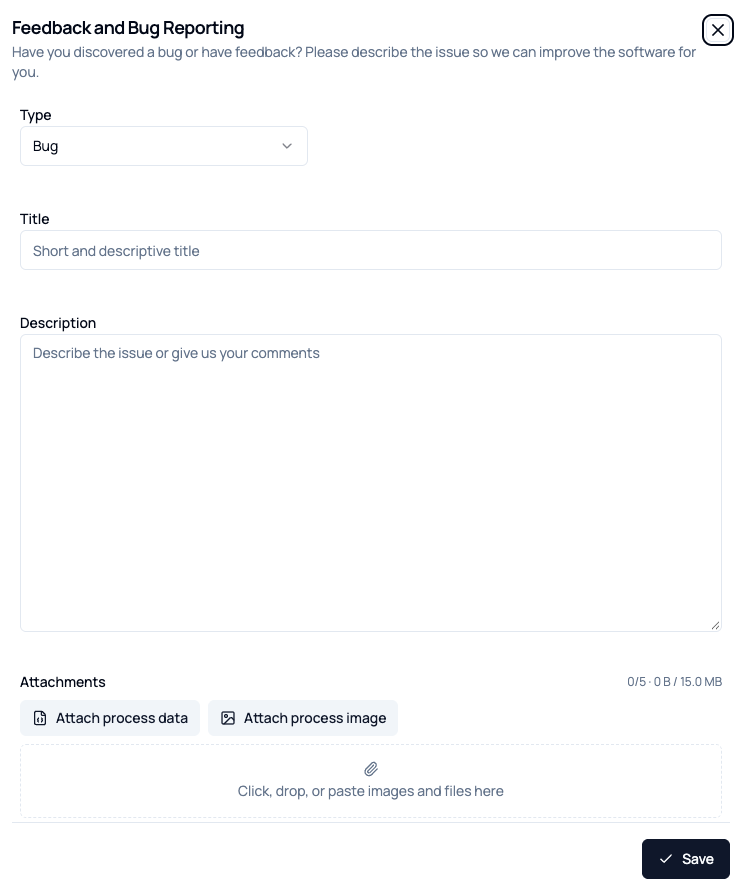
You can attach screenshots or files by dropping them into the attachment area. If you open the form while editing a process, two extra buttons appear:
- Attach process data attaches the process itself, so we can load exactly what you were looking at.
- Attach process image attaches a picture of the flowsheet.
Nothing is attached unless you press one of them.
Where it goes
Your feedback goes directly into our secure GitHub account, where we also keep our source code. It is created as an issue and allocated to one of our developers. Since our software is cloud-based, we can fix errors and bugs very quickly.
Our product roadmap is also strongly guided by user-requested features, so don't hesitate to tell us what you would like to be able to do in our software.
Before you report
If a calculation fails rather than the application, the calculation log usually names the unit or stream that went wrong, and is the fastest way to find out what happened.